
Find Lost Bitcoin & Crypto Wallets on Your PC
CryptoTrace 4.2.0 finds existing wallet files and searches supported Windows NTFS drives for deleted wallet material. Home and Technician include deleted-data recovery, with physical disk input by default and output on another physical disk. Scan contents stay local; recovery, access and funds are not guaranteed.
Plug it in — Start the scan — Find clues to lost crypto
CryptoTrace 4.2.0 Deleted wallets: physical drive selection and a separate output disk
More than a crypto wallet search.
Search a drive for deleted wallet material, follow live scan progress, and stop scans more reliably. Home and Technician include deleted-data recovery.

Search for deleted wallet material
Read supported NTFS drives and save eligible deleted files, seed phrases or keys to another physical disk. Home and Technician; recovery and funds are not guaranteed.
More clues to forgotten crypto accounts
Find exchange sign-up, deposit, withdrawal and purchase clues in supported local email exports. Clues are not proof of funds.
Make useful checks a routine
Choose daily or weekly checks for one location. CryptoTrace rechecks it while the app is open, so you can review changes.
Give customers a clearer handover
Add case notes and recorded recovery steps to an HTML handover report, giving customer jobs an organized record.
Trial includes limited checks. Home and Technician unlock saved history, comparisons and repeat checks. Read supported NTFS drives and save eligible deleted files, seed phrases or keys to another physical disk. Home and Technician; recovery and funds are not guaranteed.
Local, read-only checks. Supported formats and coverage limits apply. See supported formats
Forensic-Grade Crypto Discovery
Forensic Signatures
Signature-driven detection for wallet files, browser wallet storage, WIF/private keys, seed phrases, keystores, and addresses with chain-aware validators.
Offline-first Scanning
No internet required. All analysis runs locally on your machine; nothing leaves your disk. Ideal for forensic and privacy-first workflows.
Blazing-fast Engine
Turbo producer/consumer scanning separates directory discovery from file analysis, using tuned workers for SSDs, NVMe drives, HDDs, and large backups.
Search for deleted wallet material
Read supported NTFS drives and save eligible deleted files, seed phrases or keys to another physical disk. Home and Technician; recovery and funds are not guaranteed.
Detailed Reports
Pro exports JSON and readable HTML recovery reports with Recovery Leads, paths, confidence, occurrences, and next-step guidance.
Professional-Grade Value
Trial proves value with hidden-path leads. Pro unlocks exact recovery paths, unlimited scans, reports, and Open Location actions.
Powerful Use Cases
Old PCs & Backups
External Drives & USBs
Browser Extensions
Corporate Audits
Recover from:
- Forgotten seed phrases and private keys
- Browser extension wallets (MetaMask, Phantom, TronLink)
- Old backups, disk images, and archived folders
- Eligible deleted wallet files and recovery material on supported NTFS drives
Search existing files or deleted wallet data

Choose your source
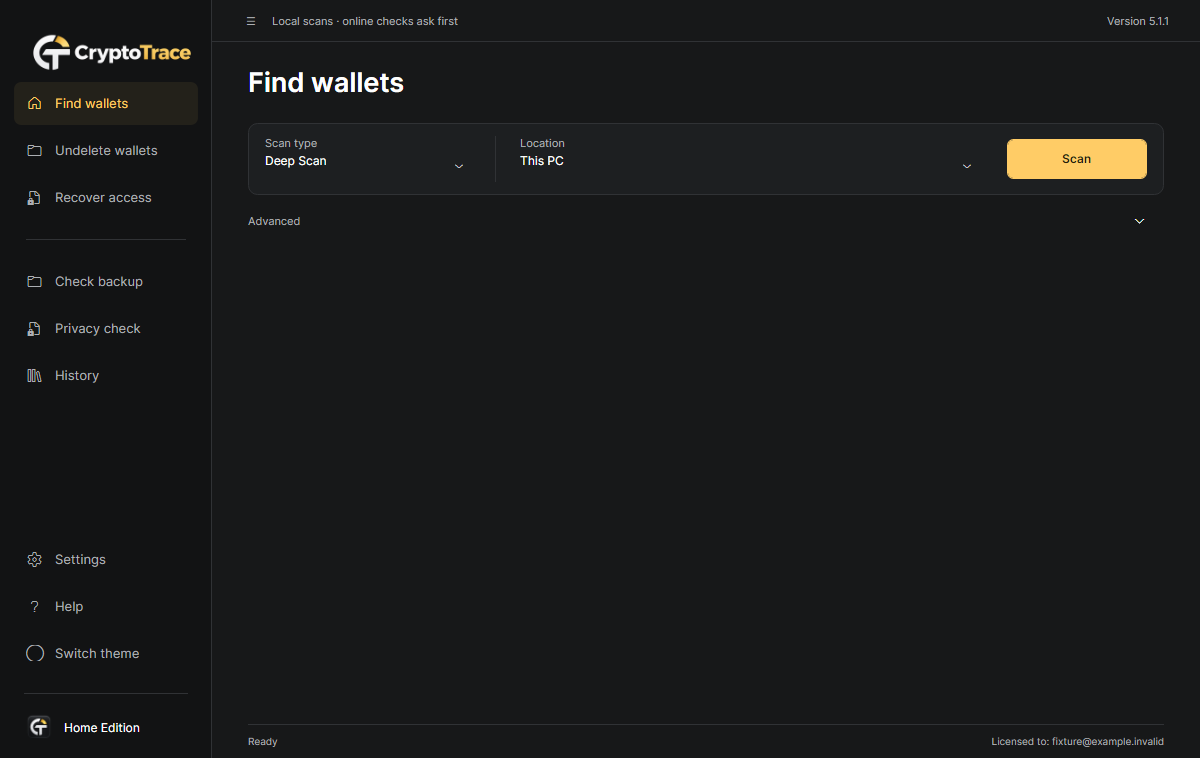
Connect the old drive. Use Find wallets for existing files or Deleted wallets for supported NTFS recovery.
Set up deleted-wallet recovery
Select the physical drive and a private output folder on another physical disk. Images are optional under Advanced.
Start and follow progress
Continue as administrator when requested, then Start recovery. Follow elapsed time and counters; Stop keeps complete files.
Review the result safely
Read the coverage warnings and saved manifest. Recovered files may contain secrets; encryption and restoration limits still apply.
Choose your License
One-time license for local discovery and repeatable checks. Choose personal use or commercial customer recovery work. Read supported NTFS drives and save eligible deleted files, seed phrases or keys to another physical disk. Home and Technician; recovery and funds are not guaranteed.
Home License
Personal use- 1 user · personal use
- Unlimited scans and backup checks
- Deleted-wallet recovery · supported NTFS drives
- Full finding paths and Open Location
- Backup-copy comparisons
- Saved history and scan comparisons
- Daily/weekly checks while the app is open
- JSON and HTML reports
Technician License
Commercial use- All Home features
- Deleted-wallet recovery · supported NTFS drives
- Unlimited customer machines · commercial use
- Sequential queue: up to 10 sources
- Forensic disk-image candidates
- Named customer cases and notes
- Recorded recovery steps and HTML handover
- Password-encrypted .ctcase reports

Forensic-Grade Offline Crypto Discovery
CryptoTrace checks local evidence without uploading scan contents. Trial app-use telemetry is disclosed; public Bitcoin activity checks remain opt-in.
Alongside existing-file scans, Home and Technician search supported NTFS drives for eligible deleted wallet files and recovery material. The source is read-only and recovered output is saved to another physical disk. Encryption is preserved; restoration and funds are not verified.
CryptoTrace user guideFrequently Asked Questions
What does CryptoTrace detect exactly?
Wallet artifacts, validated recovery material and public traces; supported exchange-account clues; and labelled credentials, password-export CSVs and private-key containers in Privacy check. Unsupported areas are not a clean-device certificate.
Does CryptoTrace upload any data or modify files?
Checks are read-only and local. Saved history keeps paths and metadata locally, not raw secret values. Trial telemetry sends app-use metadata; optional public Bitcoin lookups send the selected address only after consent.
What are the Trial vs Pro limits?
Trial has three uses shared between scans and backup checks, with recovery paths hidden. Home adds unlimited checks, full paths, reports, saved comparisons, backup comparisons and repeat checks. Technician includes Home plus customer cases, notes, a ten-source queue, image candidates and encrypted reports.
How accurate is detection? How are false positives reduced?
Checksum and structure validators, context checks, noise suppression, and deduplication reduce false positives.
Can I scan external drives or choose a custom path?
Yes. Attach or mount the drive and choose its path, or enter a custom folder.
Which performance profile should I choose?
Balanced (default), NVMe High for very fast SSDs, or HDD Safe for slower disks.
How do I save and share reports?
Pro can save JSON and HTML recovery reports. Safe Summary copies a redacted support summary without paths, seeds, keys, or full tokens.
What files are intentionally ignored and why?
Noisy system artifacts, large or binary files, and known irrelevant caches are skipped or given lower priority.
How is licensing enforced?
Pro uses a signed license file verified locally by the app. Production builds reject unsigned licenses.
Support and contact
Email hello@crypto-trace.app. See the Help Center for guides.
Can it confirm my backup will restore access?
No complete restoration or funds check is performed. Supported Electrum metadata distinguishes key-material states; supported Ethereum v3 PBKDF2/AES-128-CTR checks can test a known password locally. Core integrity checks, Scrypt and other password formats are unsupported.
Do repeat checks run when I close the app?
No. Daily/weekly checks run only while CryptoTrace is open. Missed checks run after reopening when the app is idle. No Windows service or startup task is installed.
Is an empty Privacy check safe to share?
Not necessarily. Read the coverage details: encrypted or nested archives, images, PDF/OCR and unsupported formats are not inspected. Correct a working copy yourself and check again; CryptoTrace does not delete files or revoke credentials.
Can CryptoTrace recover deleted wallet data?
Home and Technician include deleted-wallet recovery. Choose Deleted wallets, select the physical drive and save to another physical disk. Trial requires activation before recovery starts. Supports 512-byte logical sectors, including 512e; 4Kn is unsupported. Overwritten, erased or incomplete data may be unrecoverable. Encryption is preserved; recovered files can contain secrets. Recovery, wallet access and funds are not guaranteed.
Don't throw away a crypto fortune.
Find wallet files. Search deleted NTFS data. Check backups and files before sharing.
